



Email automation software isn't a thing. We're only using it here because we're targeting a specific keyword for search engine optimization.
Email automation is a standard feature offered by nearly all email marketing software. That's because the humble automated email has made businesses more money than any marketing tactic ever invented.
Did you know an email automation asking subscribers why they haven't opened your emails in a while can make you hundreds of thousands of dollars? True story. It's called a “sunset unengaged” automation.
And there are so many email automations you can set up:
- Welcome new subscribers
- Post-purchase education for new customers
- “Win bank” lapsed customers
- Recover abandoned carts or failed rebills
- ...And so much more
Email automations work so well because they send the right message to the right prospect at the right time. And that's much more likely to convert over a generic message seen by everyone.
Most email automation software makes simple workflows easy but hits walls when you need complexity. Others handle sophisticated automation but require advanced expertise to use. Some focus on specific use cases like ecommerce, B2B, or creators.
Many businesses get excited about automation features, build complex workflows, then realize the software doesn't actually help them convert better. Or they pick something too simple and hit limits immediately.
This guide covers the best email automation software, what makes each platform different, and how to choose tools that build workflows that convert. We'll cover simple sequence builders to enterprise platforms, focusing on what drives results.
TL;DR: Quick Picks by Automation Needs
Need to make a fast decision? Here's who each platform works best for. I'll cover each option in detail below, but this should help narrow things down.
ActiveCampaign works best if you're building complex automation workflows with branching logic, conditional sends, and CRM integration. The visual builder makes complex workflows easier to understand than platforms that rely on list-based logic. Great for B2B and agencies handling sophisticated automation.
Klaviyo is hard to beat for ecommerce stores needing product-based automation. Cart abandonment, browse abandonment, post-purchase sequences driven by product data. They built their entire platform around this. The pre-built flows and product personalization are genuinely powerful.
HubSpot makes sense if you're already using their CRM and want integrated marketing automation. The workflows tie seamlessly to sales data. It's powerful but expensive, and overkill if you're not already in the HubSpot ecosystem.
Mailchimp keeps things simple for small businesses wanting straightforward automation. Basic workflows that work, without overwhelming complexity. Their user-friendly interface and good templates help you get started fast.
ConvertKit (now Kit) is built specifically for content creators and course builders. Simple visual automation for email courses, product launches, and audience nurture. The workflow builder makes sense for creator workflows.
MailerLite offers solid automation without premium pricing for growing businesses. Their generous free plan includes full automation access, which is rare. Good intuitive builder and decent value overall.
Zapier + Email Platforms works when you need to automate email workflows across multiple tools. Connect email platforms to CRM, ecommerce, or other marketing tools. Use best-in-class tools for each function while automating workflows across them.
Bento combines automation workflows with deliverability infrastructure. Multi-step sequences, behavioral triggers, conditional branches, plus reputation monitoring and batching controls for responsible sending. We built automation that sends responsibly, which matters more than most people realize.
One thing worth noting: email automation software ranges from simple sequence builders to comprehensive marketing automation platforms. Some focus on email automation specifically, others include email as part of broader marketing automation suites. Choose based on the complexity you'll actually use, not what sounds impressive.
For comparing specific automation approaches, check out our guides on drip email campaigns and behavioral targeting tools.
What Is Email Automation?
Before diving into software options, we should clarify what email automation actually means and why it matters.
Email automation sets up email workflows that trigger automatically based on events, schedules, or subscriber behavior. Instead of manually sending campaigns, automation handles sending based on rules you define. Think of it as a marketing assistant that never sleeps and actually follows instructions.
Why does automation work so well? It delivers the right message at the right time. Welcome emails send immediately when someone subscribes. Abandoned cart emails send after a delay when someone leaves items unpurchased. Re-engagement campaigns trigger when subscribers become inactive and each automation responds to subscriber actions, making emails more relevant and timely.
Common automation types you'll use:
-
Welcome sequences automatically onboard new subscribers over multiple emails. Start with a welcome message, then send valuable content that builds trust over the next few days or weeks.
-
Behavioral triggers send emails based on actions like product views, link clicks, or form submissions. Someone browses winter coats? Send them a discount on outerwear. Someone downloads your guide? Send related content.
-
Time-based sequences deliver content over days or weeks for email courses or nurture campaigns. These sequences are perfect for educational content or building relationships over time.
-
Lifecycle automation uses different sequences for different subscriber stages. New subscribers get welcome content. Engaged subscribers get product offers, while inactive subscribers get re-engagement campaigns.
-
Event-driven workflows trigger emails based on external events like purchases, signups, or date milestones. Birthday emails, renewal reminders, post-purchase follow-ups all fall into this category.
The secret sauce of automation is triggers. Signup triggers welcome sequences. Purchase triggers post-purchase follow-ups. Clicks, views, and visits trigger relevant content. Better automation software provides more trigger options and more sophisticated trigger logic.
Personalization makes automation powerful. Basic personalization uses names and advanced references specific products, content, or actions subscribers took. Better automation software lets you personalize dynamically based on subscriber data and behavior. For example, Bento allows deep personalization of email automations via our native integration with RightMessage.
Reality check: automation isn't magic. It amplifies good marketing, but if your product isn't compelling or your messaging is off, automation won't fix that. But for businesses with solid fundamentals, automation dramatically improves conversion rates and engagement while saving time.
How to Choose Email Automation Software
Picking the right platform from dozens of options can feel overwhelming. Here's what to evaluate:
Automation Capabilities
First, look at workflow complexity. Can you create branching logic, conditional sends, multi-step sequences, or parallel paths? More complexity means more flexibility, but also a steeper learning curve. I've seen businesses pick platforms that are too simple and hit limits immediately. I've also seen teams pick overly complex platforms and never build anything because it's too hard.
Check the trigger options available. What can actually trigger automations? Basic platforms handle signups and purchases. Advanced platforms trigger on behavior like clicks, views, visits, dates, or custom events. More trigger options mean more sophisticated automations. Some platforms handle basic triggers well but struggle with custom events or complex behavior.
Conditional logic is where automation gets interesting. Can you create "if/then" branches? If a subscriber does X, send variant A. If they don't, send variant B. Better conditional logic means more relevant automations. This is where platforms really differentiate - some make branching easy, others make it painful.
Goal tracking prevents subscribers from receiving irrelevant emails after converting. Can automations mark subscribers as "complete" when they reach goals? Can they exit subscribers from sequences when they take desired actions? This seems basic, but I've seen automations that keep sending emails to people who already purchased. That's annoying for customers and hurts deliverability.
Integration and Data
Your automation is only as good as the data it can access. Check if automations can pull in CRM data, ecommerce purchases, website behavior, or form submissions. Better data integration means more sophisticated personalization. Some platforms sync data deeply, while others have surface-level connections.
External triggers matter if you're building workflows that span multiple tools. If someone purchases in Shopify, completes an action in your app, or reaches a milestone, can that trigger email automation? Webhook support enables this, but not all platforms handle webhooks well.
Exit conditions are critical but often overlooked. If someone purchases, unsubscribes, or takes a desired action, can they automatically stop receiving automation emails? This seems obvious, but some platforms make exit conditions clunky or unreliable.
Ease of Use
Visual builders make a huge difference in usability. Can you see entire workflows visually? Drag-and-drop interfaces make building easier than list-based editors. Visual workflow builders help you understand how automations flow, which matters when you're debugging or optimizing. Some platforms make building automations feel like programming, which works for developers but frustrates marketers.
Template libraries save time and show best practices. Good platforms provide pre-built automation templates for welcome sequences, abandoned cart flows, and industry-specific automations. Templates help you get started quickly and learn what works.
The learning curve matters more than most people realize. How easy is it to build your first automation? Can non-technical team members use it? If you're building automations yourself versus having dedicated automation specialists, ease of use becomes even more important.
Analytics and Optimization
You need automation analytics to understand what's working. Can you see performance across entire workflows, not just individual email metrics? Which triggers fire most? Where do subscribers drop off? Good analytics help you optimize workflows, not just individual emails.
A/B testing lets you improve automation performance over time. Can you test different versions of emails within automations? Test subject lines, content, timing, or entire workflow variants? Testing helps optimize automation performance, but not all platforms make testing easy.
Some platforms provide optimization insights and recommendations. They identify automations that underperform and suggest improvements based on data. However, this is nice to have, but not in any way essential.
What Actually Matters
Most businesses don't need the most sophisticated automation software. They need software that makes building effective automations easy, lets them personalize content, and provides analytics to improve over time. Choose based on the complexity you'll actually use, not what sounds impressive.
Deep Dive: The Best Email Automation Software
Here's what you need to know about each major automation platform:
ActiveCampaign: Complex Workflow Leader

Who it's for: B2B teams, agencies, and businesses building sophisticated automation workflows with branching logic and CRM integration.
ActiveCampaign's automation builder is genuinely powerful. It lets you create complex workflows with multiple branches, conditional logic, delays, tags, and goals. The visual builder makes it easier to understand sophisticated automations than platforms that rely on list-based logic.
The platform supports event-based triggers like site visits, form submissions, and purchases. Time-based delays work well and conditional branching lets you send different emails based on subscriber actions (if subscriber does X, send variant A; otherwise send variant B). Goal tracking marks automations as successful when subscribers reach goals.
CRM features integrate smoothly with automation. Trigger automations based on deal stage, company size, or sales activity and lead scoring automatically updates based on automation engagement, helping you prioritize high-value leads.
Downside is that the interface can feel cluttered, especially if you're used to simpler platforms. The learning curve is steeper than basic automation tools. Pricing gets expensive fast - the basic plan starts around $15/month, but you'll likely need the $145/month plan for serious automation.
ActiveCampaign is perfect if you're building sophisticated automation workflows with complex branching logic, but it might be too complex if you just need basic welcome sequences or simple trigger-based emails.
Klaviyo: Ecommerce Automation Specialist

Who it's for: Ecommerce stores needing product-based automation driven by customer behavior and purchase data.
Klaviyo excels at ecommerce automation. It allowes you to build workflows triggered by product views, cart additions, purchases, or browsing behavior. Pre-built flows include abandoned cart sequences, browse abandonment, post-purchase follow-ups, and win-back campaigns.
The platform tracks product-level data, so you can personalize automations with specific products someone viewed or purchased. Dynamic content blocks pull in product recommendations, recently viewed items, or related products automatically.
Predictive analytics identify subscribers likely to convert or churn. This helps you prioritize which automations to send and when. Revenue attribution shows which automations drive sales, making it easy to optimize for ROI.
Klaviyo has free plan, but it gets expensive really fast. Pricing is based on contacts, not emails sent so expect $1,000+/month for large lists over 70,000 users. The platform assumes you're running an ecommerce business and if you're not selling products online, many features feel over-engineered.
Klaviyo is perfect for ecommerce stores serious about product-based automation. The pre-built flows and product personalization are genuinely powerful, but you'll pay for it.
HubSpot: Integrated Marketing Automation
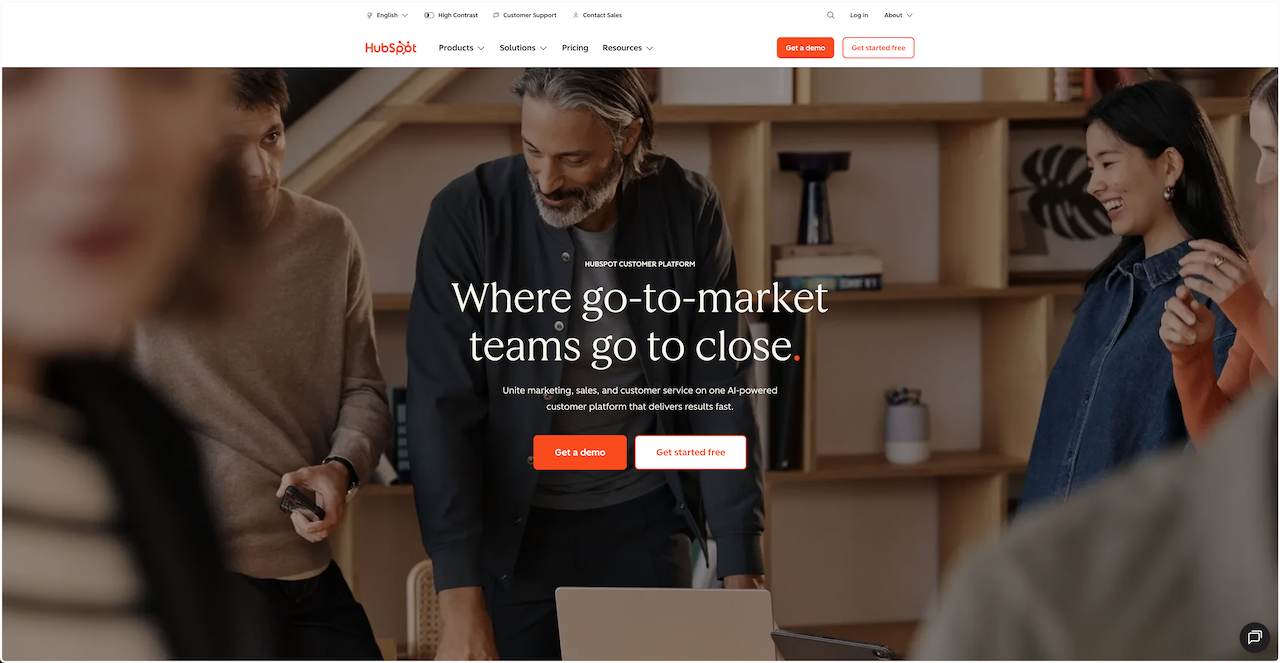
Who it's for: Companies already using HubSpot for CRM who want marketing automation integrated with sales data.
If you're already in the HubSpot ecosystem, automation integration is seamless. Trigger workflows based on CRM data like deal stage, company size, or sales activity. You can create automations that align with sales workflows.
Marketing automation becomes powerful when combined with HubSpot's CRM data. Build workflows that respond to sales activity, company data, or engagement across channels. Reporting shows ROI and attribution across the entire customer journey.
The price is steep - Marketing Hub Professional costs $880/month. The platform is dense and can feel overwhelming if you're not already familiar with HubSpot and it's definitely overkill if you're not using HubSpot for CRM.
HubSpot makes sense if you're already using it for CRM and want integrated automation, but if you're just looking for email automation, you can do better and cheaper elsewhere.
Mailchimp: Simple Automation
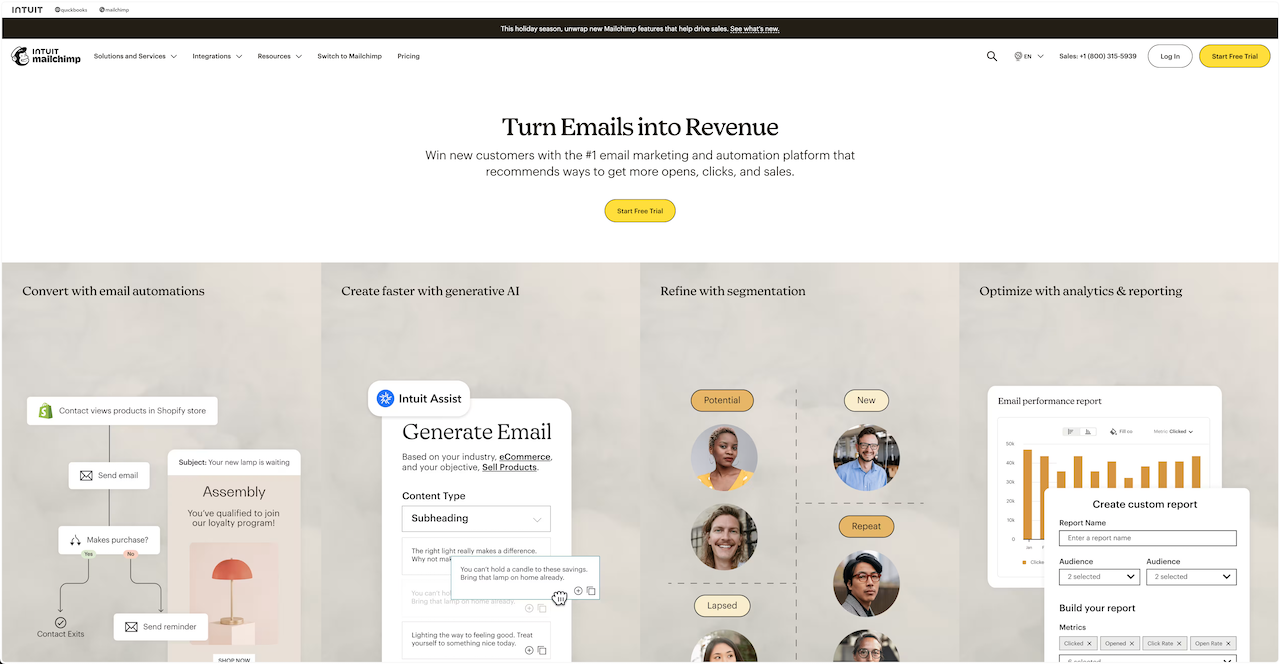
Who it's for: Small businesses wanting straightforward automation without complexity.
Mailchimp makes basic automation easy. The automation builder is visual and intuitive, with pre-built templates for welcome series, birthday campaigns, and simple trigger-based workflows. You can create automations with delays, conditional branches, and basic personalization without feeling overwhelmed.
Good templates and examples make it easy to get started even if you've never built automations before. The interface is polished and user-friendly.
Advanced automation isn't as sophisticated as platforms built for complex workflows. Conditional branching is limited compared to ActiveCampaign or Klaviyo, and the deliverability tools are basic.
Mailchimp is perfect if you want simple, effective automation without learning complex workflows. Great for welcome sequences and basic triggers, less ideal for sophisticated multi-branch automation.
ConvertKit (Kit): Creator-Focused Automation

Who it's for: Content creators and course builders needing simple visual automation for educational sequences and launches.
ConvertKit's automation builder is powerful yet approachable. The platform allows you to build complex sequences like multi-week email courses or product launches without getting lost in branching logic. The visual builder shows the entire flow clearly.
Creator-focused features include email courses that automatically deliver content over time, product launch sequences, and audience nurture flows. Subscriber tagging integrates with automation. Tag subscribers based on actions within workflows, then trigger different automations based on those tags.
Ecommerce features are limited adn the interface can feel sparse if you're used to feature-rich platforms. Pricing jumps significantly once you hit paid plans; only 1000 of users will cost you $33 on basic plan, and it quickly adds up.
ConvertKit is perfect for creators building email courses, product launch sequences, or audience nurture automation. Great for educational content delivery over time.
MailerLite: Budget-Friendly Automation

Who it's for: Growing businesses needing solid automation without premium pricing.
MailerLite offers robust automation even on the free plan. Create behavioral triggers, segment by engagement, and build complex workflows without paying for advanced tiers. The automation builder is intuitive and visual.
Pre-built automation templates save time. You get templates for welcome series, abandoned cart sequences (if using ecommerce integrations), and re-engagement campaigns. Segmentation integrates with automation, so you can trigger different workflows based on subscriber segments or behavior.
The interface isn't as polished as Mailchimp or Klaviyo. Advanced automation features aren't as sophisticated as ActiveCampaign and ecommerce-specific features are limited.
MailerLite offers exceptional value for automation. The free plan includes full automation access, and paid plans start at just $9/month. Perfect if you need solid automation without premium pricing.
Zapier + Email Platforms: Cross-Tool Automation

Who it's for: Teams wanting to automate email workflows across multiple tools or connect email platforms to other marketing tools.
Zapier connects email platforms to thousands of other apps, letting you build automations that span multiple tools. If someone purchases in Shopify, trigger a Mailchimp automation; if someone completes a form in Typeform, add them to a ConvertKit sequence; and if someone reaches a milestone in your app, send a transactional email.
This approach lets you use best-in-class tools for each function. Use your favorite email platform for email, your preferred CRM for sales, your chosen ecommerce platform for products. Then automate workflows across them all.
You'll need multiple tools and subscriptions and setup is more complex than native platform automation. Each integration adds potential points of failure.
Zapier + email platforms makes sense if you want to automate workflows across multiple tools or prefer best-in-class platforms over integrated suites.
What Makes Email Automation Effective
The right software helps, but effective automation requires more than just tools.
Clear goals drive conversions. Each automation should move subscribers toward a specific outcome like purchase, signup, or engagement. Automations without clear goals underperform.
Timing matters more than you might think. Spacing emails appropriately is really important. Welcome sequences might send emails on day 0, 1, 3, and 7, while re-engagement campaigns might trigger after 30 days of inactivity. Good timing respects subscriber attention without feeling spammy.
Personalization improves results significantly - basic personalization using names is fine, but dynamic personalization based on behavior or data drives better results. Use automation software that lets you personalize content dynamically.
Testing optimizes performance over time. A/B test subject lines, content, timing, or entire automation variants. See what works, then improve. Good automation software provides analytics to identify optimization opportunities.
Deliverability enables everything else. The most sophisticated automation doesn't help if emails land in spam. Platforms that handle both automation and deliverability perform better than platforms that treat deliverability as an afterthought.
Where Bento Fits: Automation That Sends Responsibly
If you've made it this far, you're probably evaluating email automation software seriously. Here's where Bento fits, especially if you want automation that sends responsibly.
Bento's automation is powerful - on it you can create multi-step sequences, behavioral triggers, conditional branches, and personalized content, but we built it with deliverability in mind.
When automations trigger, Bento batches sends over time instead of dumping everything into inboxes at once. This spreads volume naturally, which ISPs prefer, and improves inbox placement compared to instant sends.
Most automation software assumes you want to send immediately when triggers fire, but if you're triggering welcome sequences for hundreds of new subscribers, or firing cart abandonment emails throughout the day, sudden volume spikes can hurt deliverability. Bento handles this automatically.
Our automation builder is visual and intuitive. It allows you to see how workflows flow, set delays, create branches, and personalize content. We built it for operators who want sophisticated automation without overwhelming complexity.
Behavioral triggers let you build automations based on subscriber actions like opens, clicks, purchases, or other behavior. Conditional logic creates branches based on subscriber actions and personalization lets you customize content dynamically based on subscriber data.
Bento provides detailed automation analytics, not just individual email metrics. You can see how entire workflows perform, where subscribers drop off, which triggers fire most, and where automations need optimization.
As deliverability is our top priority (with one of the best in the industry!) we take it seriously and alert you as soon as any issues arise. This matters because poor deliverability means automated emails never reach subscribers, regardless of how sophisticated the workflows are.
Bento makes sense if you're building email automations and want workflows that send responsibly. If you care about inbox placement enough to want automation that doesn't hurt deliverability or if you need sophisticated automation without requiring a PhD in email marketing, Bento is a great choice.
Not only that but Bento also allows for complex automations in any industry/niche. Our automation triggers cover nearly every scenario, whether you're a SaaS business, eCommerce, info-product, B2B, or another.
Ready to Build Email Automation That Converts?
Start with high-impact automations. Don't try to build complex multi-branch workflows immediately. Pick your highest-converting opportunities. Welcome sequences, cart abandonment, or behavioral triggers are good starting points. Build one automation well. Measure results, learn what works, then add complexity over time.
Test triggers and timing carefully. Most automation sends emails too quickly or based on weak triggers. Test different trigger conditions and measure which combinations drive conversions and use analytics to identify what works, then optimize based on real data.
Personalize based on behavior, not just data. Dynamic personalization based on actions drives conversions. Products viewed, content engaged with, behaviors taken all matter. Use automation software that lets you personalize content dynamically based on subscriber actions.
Make sure to measure entire workflows, not just individual emails. Good automation software shows how workflows perform as a whole. Where subscribers drop off tells you something and which triggers fire most shows engagement patterns. Where conversions happen reveals what works. Use all of the analytics to identify improvement opportunities, then iterate.
Don't forget deliverability. The most sophisticated automation doesn't help if emails land in spam. Choose platforms that handle both automation and deliverability. For more on deliverability, see our email deliverability tools guide.
Build automated sequences with our drip email campaigns guide. For behavioral triggers, see behavioral targeting tools. For comparing platforms broadly, check out best email marketing services.
The email automation software we've covered all provides legitimate capabilities. ActiveCampaign for complex workflows. Klaviyo for ecommerce automation. HubSpot for CRM integration. Mailchimp for simple automation. Bento for automation plus deliverability infrastructure.
Choose based on the complexity you'll actually use, then focus on execution. Start with one workflow, measure results, then expand. If you're evaluating Bento for automation with deliverability built-in, we're here to help.

