



We're about to get into more advanced Bento features like flows, events, behavior-based automations, and more.
Before we dive in, I want to make sure you know about Tanuki.
What Is Tanuki?
Tanuki is Bento's built-in AI assistant.
It's trained on all of Bento's documentation, it's free for every Bento user, and there's no usage limit.
Think of it as a 24/7 Bento support agent that actually knows what it's talking about.
Where To Find It
Tanuki shows up in four places inside the Bento app:
1 - Cmd+K (or Ctrl+K on Windows)
This is the fastest way. Hit Cmd+K (Mac) or Ctrl+K (Windows) from anywhere in Bento to open the site-wide search.
Type a question and Tanuki opens in a sidebar to answer it.
This works from any screen - you don't have to navigate somewhere first.
2 - The in-app chat on your dashboard
You'll also see a Tanuki chat box on your Bento dashboard. Same sidebar, just accessed from the dashboard instead of the keyboard shortcut.
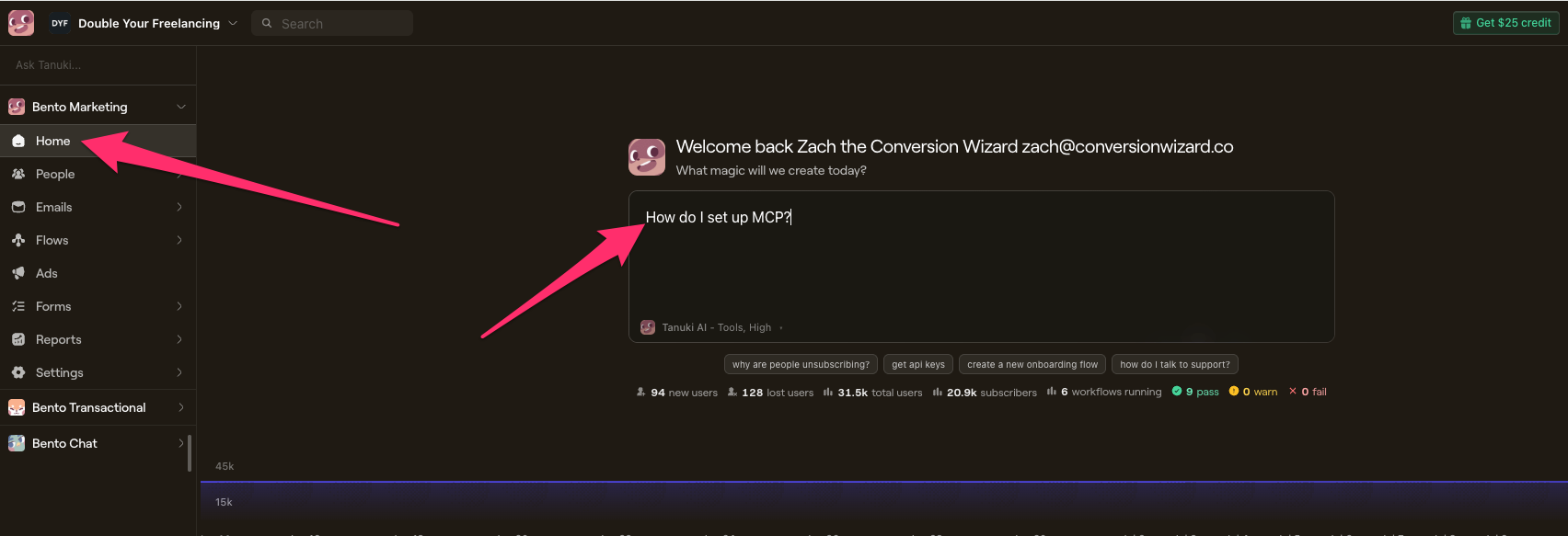
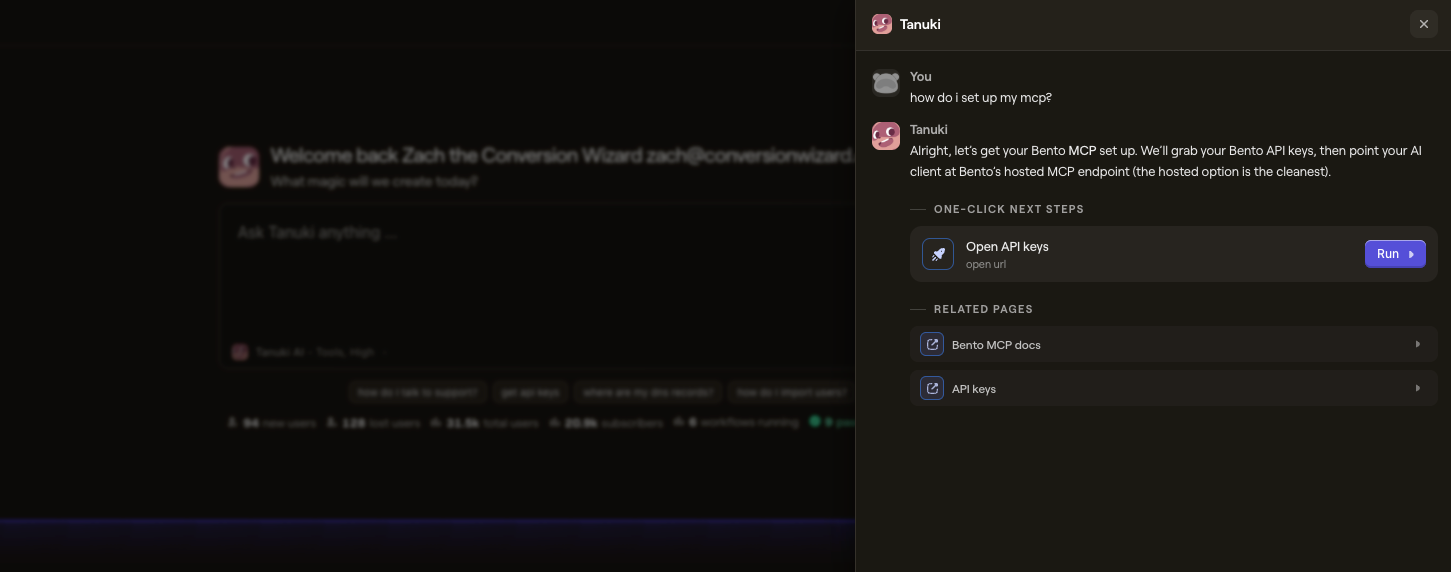
3 - The email editor
When you're editing an email (in any of the three editors: Stripo, Shoji, or Raw HTML), look for the "AI Mode" toggle with the Tanuki icon in the editor header.
Toggle it on and you get a split-screen: your email preview on one side, Tanuki chat on the other.
Click any element in the preview, then ask Tanuki to modify it - change colors, swap images, rewrite copy, add Liquid tags.
4 - The workflow builder
When you're building a flow, click "Plan with Tanuki AI" at the bottom of the canvas.
Describe what you want in plain English and Tanuki scaffolds the entire flow - triggers, delays, conditions, email nodes.
We'll use this more in the upcoming flow lessons.
What To Ask It
A few examples to get you started:
- "How do I set up a segment for subscribers who haven't opened an email in 30 days?" - It'll walk you through the steps.
- "Create an onboarding flow for new signups with a welcome email and two follow-ups." - It'll build the whole flow for you.
- "Rewrite this subject line to be more compelling." - In the email editor, it'll suggest alternatives.
- "What's the difference between tags and custom fields? When should I use one vs. the other?" - It'll explain the concept clearly.
If you get stuck on anything in this training, try asking Tanuki first.
It can often answer faster than searching the docs.
Why I'm Telling You This Now
In the upcoming lessons, you'll be setting up MCP connections, building flows, working with events, and writing Liquid templates.
Some of this is technical.
If you hit a wall, Tanuki is often the fastest path to getting unstuck - right inside the Bento app, no context-switching required.
Check out the Tanuki AI page for the full feature breakdown.
When To Move On
- You know where to find Tanuki in the Bento app (Cmd+K, dashboard chat, email editor, workflow builder)
- You've tried asking it at least one question
- You know it's there as a resource for the rest of this training