



Bento Zapier Integration



Overview
The Bento Zapier integration lets you track events for your subscribers, update user data, record lifetime value (LTV), and trigger workflows from events in your Zaps.
Requirements
- Active Bento account with a site created
- Active Zapier account
- Bento API keys
Installation Steps
1
To generate your keys visit your team page here, and select
Your Private API Keys button at the top right2
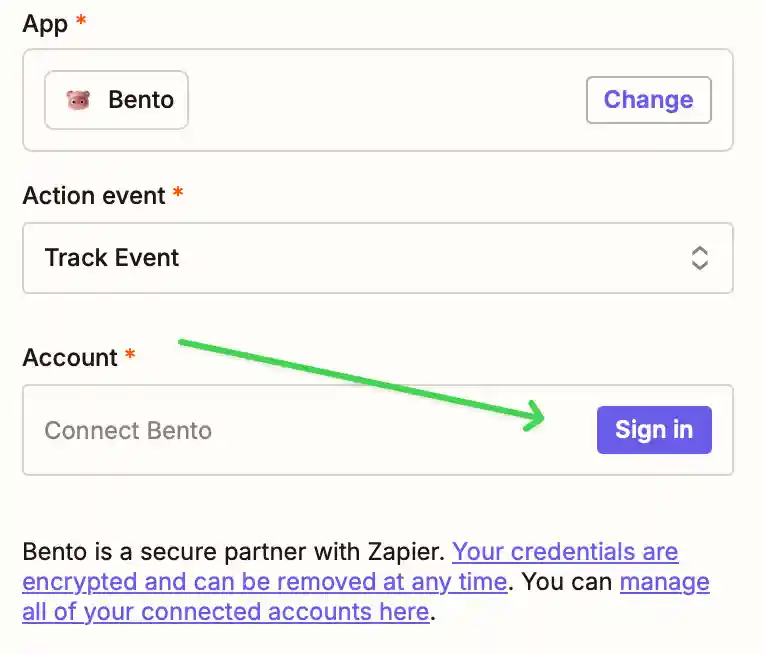
When creating a Zap with Bento, you will need to connect Bento & Sign In.
3
Using the API Keys you generated in Bento, fill in the credentials. You will also need to fill in the site uuid from Copy UUID button.

4
Double check the keys are correct and click Yes, Continue to Bento.
Please note that Zapier does not validate the keys. If you enter the wrong keys you
will not be able to connect, and your Zap will not work.
How the connection works
Once connected, Bento is available as an app in your Zaps. Use it to track and tag subscribers from events in other apps. You can attach custom data, such as purchase information, to those events. Bento uses purchase data to calculate LTV, trigger automations, and start drip campaigns.