



How to set up your DNS records for Bento
To get your emails delivered reliably, you need to add a few DNS records for your domain. These records authenticate your domain and allow Bento to send email on your behalf.
This step improves both your deliverability and your sender reputation. With it in place, your emails are more likely to land in inboxes instead of spam folders or bouncing back.
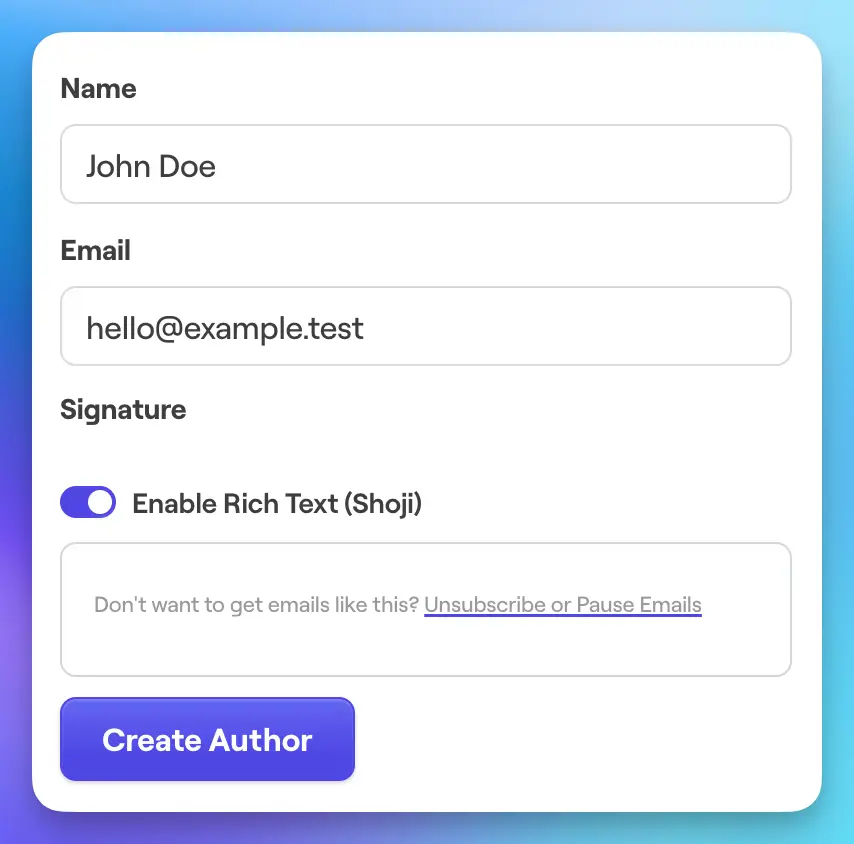
This can be done in the Email -> Authors screen within the Bento platform.
To get started, configure the address you wish to use, such as hello or support, along with the corresponding email address like hello@example.com.
This new author email should reflect the purpose it will serve, whether it’s for customer support, marketing, or general inquiries.
Once you have input and saved this information, our system will automatically generate the necessary DNS records for you.
Each domain you will be sending email from requires 5 DNS records to be added. You can find them at Deliverability > DNS Records on the Bento platform. Before you add the records to your domain and we verify them the domain will appear like this.
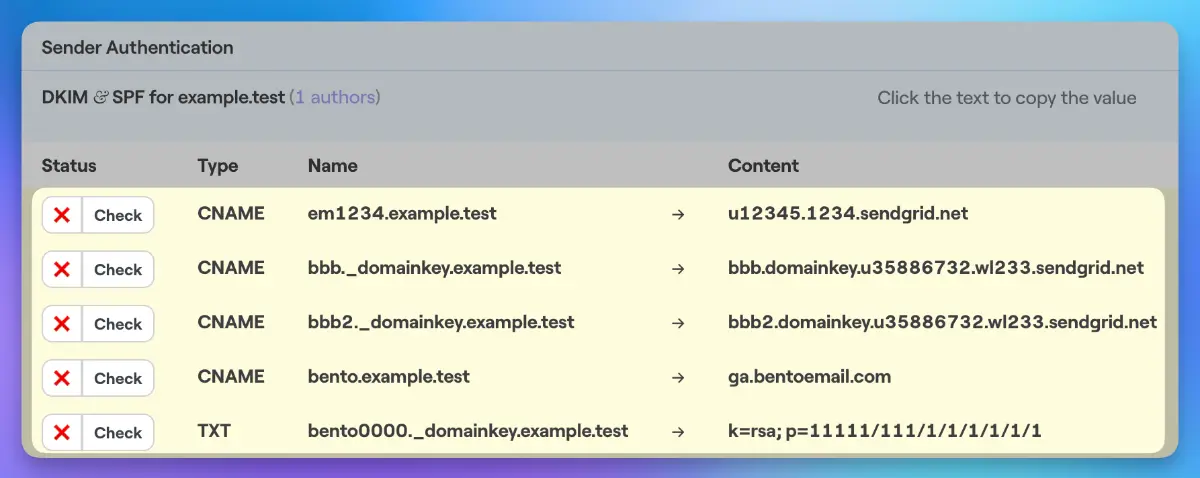
em1234.example.test) to copy it easily, avoiding entry errors.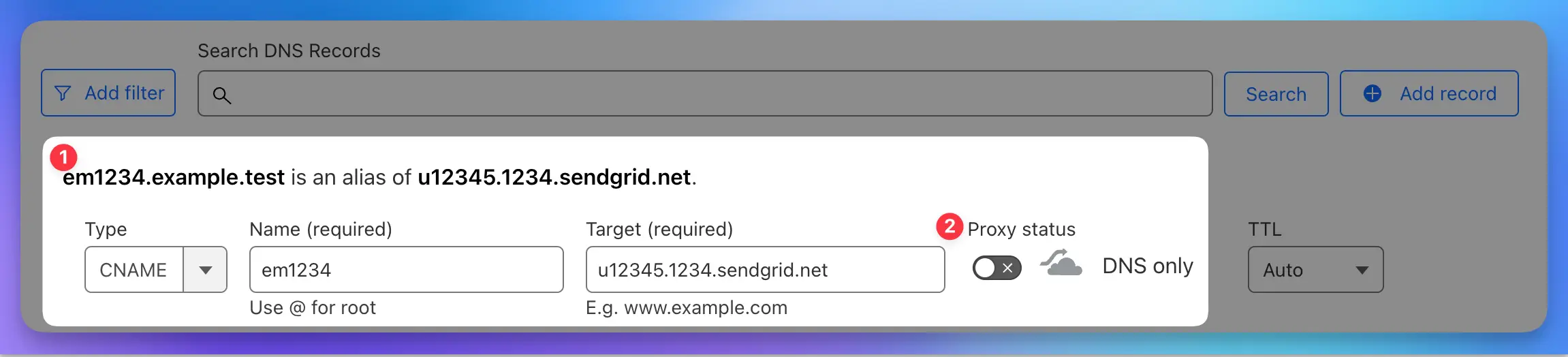
As you fill in the field, take note that the DNS entry you are creating is displayed 1. Ensure it matches exactly what you are being asked to create in Bento, as discrepancies can prevent verification.
Here you can see we have created em1234.example.test as a CNAME, and importantly, we have turned off Cloudflare's proxy 2. This step is crucial as enabling the proxy can lead to issues with verification, and we strongly advise against using it in this context.
Different providers have varying requirements when it comes to DNS record entries. Some will only require the portion before your domain name, such as em1234 for em1234.example.com. In contrast, others will need the complete record. Understanding these differences is essential for successful DNS configuration.
Ultimately, correct configuration is key to a smooth verification process, so double-check each entry for accuracy. If any issues arise, consulting your DNS provider’s documentation or support can provide further guidance.
name portion. So, instead of entering em1234.example.com you will need to enter em1234.Once the records are entered into your DNS host, we can move back to Bento to check if they validate. You can click on the "check" button 1, which will allow you to verify if the records are replicating properly and resolving correctly. This feature provides a real-time validation of your configurations, ensuring that everything is functioning as expected.
This can be an important step if you are unsure whether the records you created in the previous step are accurate or if you suspect any discrepancies. By utilizing this tool, you can proactively identify and address any potential issues.
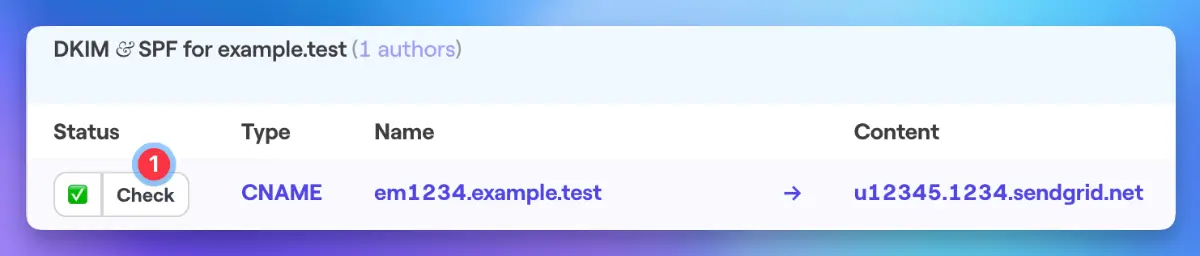
Once Bento validates a record, it gets a green check mark and the record text turns blue. When all five records show these indicators, your DNS setup is complete.
This process is unfortunately technical but a required one to let us send verified email on your behalf. If you have any other questions, feel free to ask in the Bento Discord!